
Table of Contents
Home Office Setup Guide: How to Design a Productive Workspace That Fits Your Life
A home office setup can heavily determine how productive, focused and comfortable your workdays feel. When your workspace isn’t designed intentionally, even simple tasks can feel harder than they should. Discomfort, distractions and poor layout often lead to fatigue, reduced concentration and frustration that builds over time.
This guide is designed to help you create a home office that actually supports how you work. It breaks the process down into clear, practical steps so you can design a workspace that fits your space, your work style and your daily routine without stress or unnecessary spending.
Why Your Home Office Setup Matters More Than You Think
A home office isn’t just a place to put a desk. It’s an environment that directly affects posture, energy levels, focus and long-term wellbeing.
When your chair doesn’t support you properly, your lighting causes eye strain or your layout feels cluttered, your body and brain are constantly compensating. Over time, this reduces productivity and increases physical discomfort.
A good home office setup removes friction. It allows you to focus on your work rather than on discomfort, distractions or constant adjustments throughout the day.
Start With How You Actually Work
Before thinking about furniture or layout, it’s essential to understand how you truly work day to day. Many people design a workspace around an ideal routine that doesn’t reflect reality which then leads to frustration later.
Think about:
- How long you usually work at your desk
- Whether your work requires deep focus or frequent collaboration
- How often you’re on video calls
- Whether you use one screen or multiple devices
If you’re unsure how to translate these habits into a physical workspace, learning how to design a home office around your work style can help you avoid common setup mistakes and make better layout decisions from the start.

Choosing the Right Location in Your Home
Not everyone has a spare room to dedicate to a home office and that’s completely fine. What matters most is consistency and intention.
Small Homes and Apartments
In smaller spaces, the goal is to create psychological separation rather than physical distance. A desk that stays in one place, used only for work, helps your brain associate that area with focus and productivity.
Many people working with limited space benefit from exploring small home office setup ideas for apartments, where thoughtful layouts and compact solutions make even tight spaces work efficiently.
Larger Homes
If you have more room, choose a location that minimises interruptions and background noise. A quiet room away from noisy areas in your house helps maintain focus, especially during long work sessions or calls.
Desk Selection: Function Comes First
Your desk defines your entire home office setup. Choosing the right desk isn’t about trends or aesthetics — it’s about how you use the surface every day.
Key factors to consider include:
- Enough depth to keep screens at a comfortable distance
- Sufficient width for your desk acessories without crowding
- A stable structure that doesn’t wobble
- A height that supports comfortable typing and writing
If you’re unsure what size or style works best for your space, reviewing the best home office desks for small and large spaces can help you understand how different desk types suit different room sizes and work needs.
Seating and Ergonomics: Where Comfort Becomes Essential
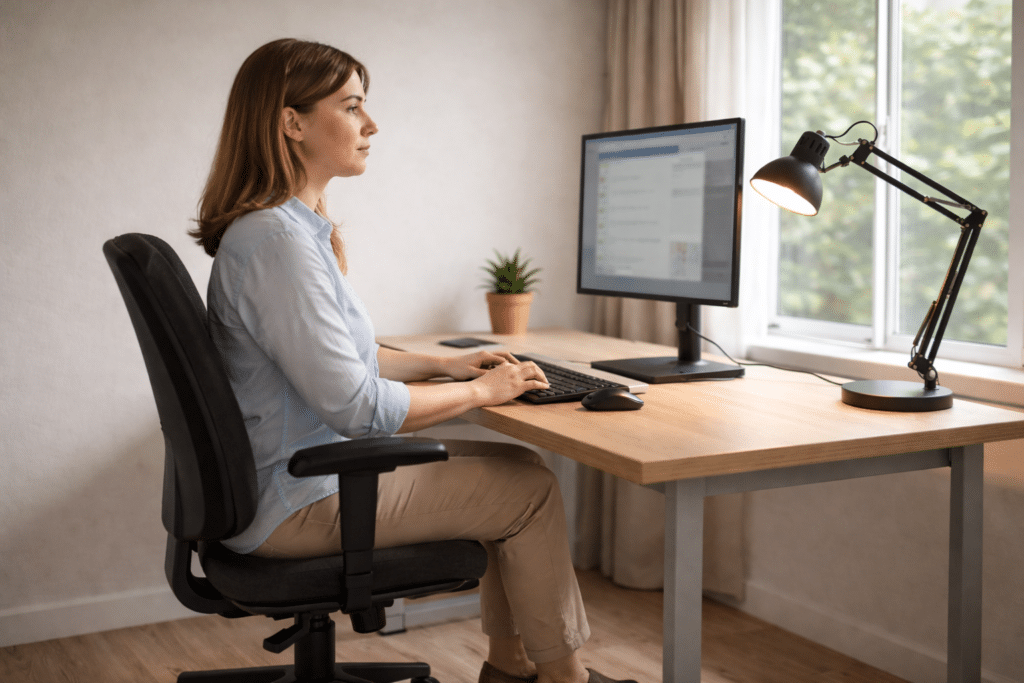
An ergonomic home office isn’t a luxury — it’s essential if you spend hours seated each day. Poor seating is one of the most common causes of discomfort, fatigue and long-term strain in home offices.
A supportive chair should allow you to:
- Sit with your feet flat on the floor
- Maintain a neutral spine
- Relax your shoulders naturally
- Adjust height and support as needed
If you’re choosing seating for long-term comfort, understanding what makes the best ergonomic office chairs for home offices can prevent posture issues and improve how you feel at the end of each workday.
According to the Canadian Centre for Occupational Health and Safety, proper office chair support and adjustment play an important role in reducing musculoskeletal strain during desk-based work.
Screen Positioning and Desk Ergonomics
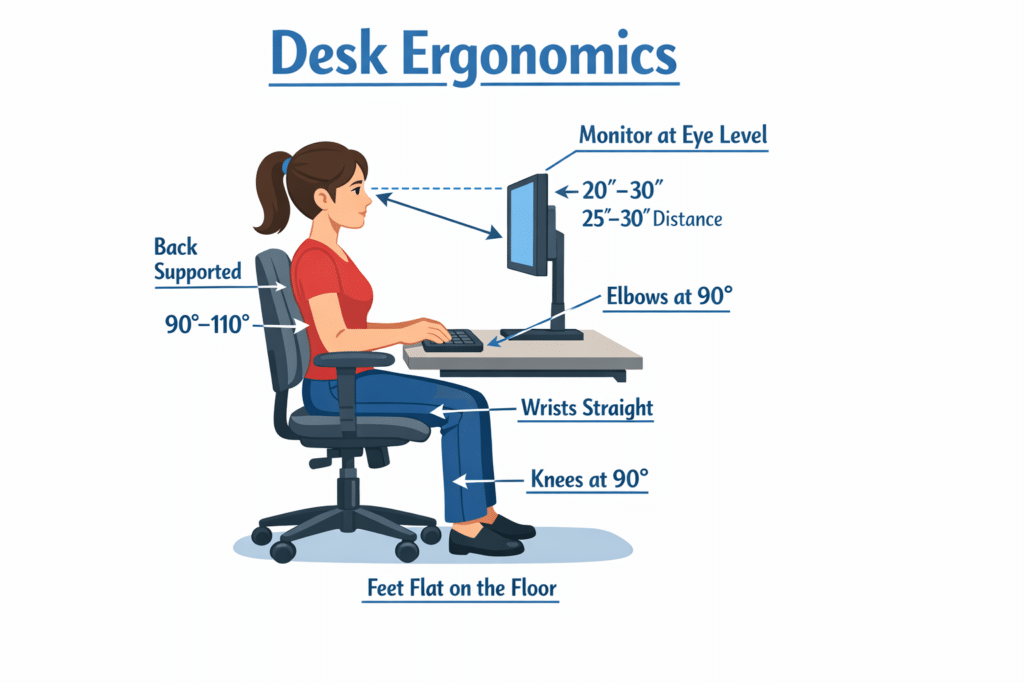
Even with good furniture, incorrect positioning can undermine your entire setup.
Best practices for a healthy home office layout include:
- Positioning the top of your screen at roughly eye level
- Keeping screens about an arm’s length away
- Aligning your keyboard and mouse with elbow height
- Maintaining neutral wrist positioning
These small adjustments reduce strain on the neck, shoulders and wrists over time, improving comfort and focus.
Lighting: One of the Most Overlooked Elements
Lighting has a significant impact on eye comfort, alertness and mood. Many home offices rely solely on overhead lighting, which often creates glare or harsh shadows.
An effective lighting setup includes:
- Natural light positioned to the side of your screen
- A dedicated task light for focused work
- Soft ambient lighting to reduce contrast
If you’re unsure about how to improve lighting without overcomplicating your setup, learning about the best desk lamps for home offices can help you understand how task lighting supports productivity and reduces eye strain.
According to the Cleveland Clinic, poor lighting conditions and screen glare are common contributors to digital eye strain, which can lead to symptoms such as eye fatigue, headaches and blurred vision during prolonged computer use.
Home Office Layout and Flow
Layout affects how easily you move, reach tools and stay organised. A cluttered or awkward workspace creates an unnecessary mental load throughout the day.
To improve flow:
- Keep daily-use items within arm’s reach
- Store infrequently used items out of sight
- Leave clear space around your chair
- Avoid overcrowding your desk surface
A thoughtful home office layout makes work feel smoother and less mentally demanding.
Managing Clutter and Visual Distractions
Visual clutter competes for attention, even when you’re not consciously aware of it.
Simple ways to reduce clutter include:
- Limiting desk items to essentials
- Using closed storage where possible
- Keeping cables organised
- Clearing your desk at the end of each workday
A calmer visual environment makes sustained focus easier.
Creating a Workspace That Feels Comfortable and Personal
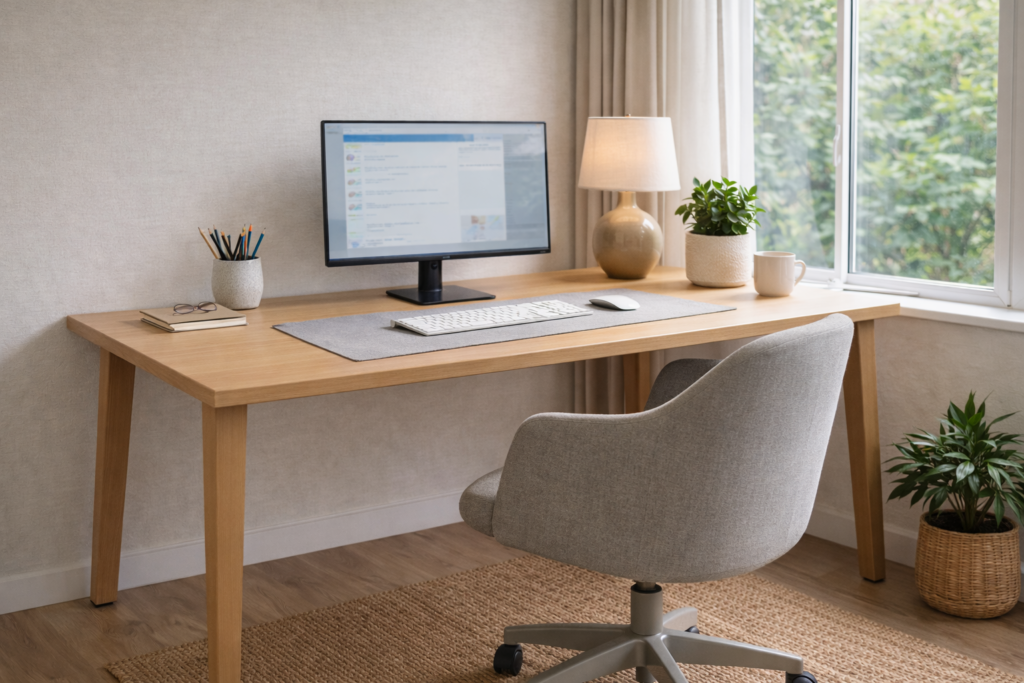
A productive home office doesn’t need to feel cold or clinical. Personal touches can improve mood and make the space more inviting, which encourages consistency.
Effective personalisation includes:
- One or two plants
- Neutral colours with gentle contrast
- Natural textures like wood or fabric
- Minimal decor that doesn’t distract
Jacinta Francis, a public health researcher who holds a Bachelor of Science, Master of Public Health, and PhD from The University of Western Australia, explains how personalising workspaces can improve emotional connection, well-being and overall comfort at work in her article here
Common Home Office Setup Mistakes to Avoid
Many beginners make similar mistakes when setting up a home office.
Common issues include:
- Prioritising style over comfort
- Ignoring chair and desk height
- Working from beds or couches long-term
- Overloading desks with storage
- Skipping lighting considerations entirely
Avoiding these mistakes early saves time, money and physical discomfort.
Frequently Asked Questions
What is the most important part of a home office setup?
Ergonomics. A comfortable chair, proper desk height and correct screen positioning have the greatest impact on comfort and productivity.
Can I create a productive home office in a small space?
Yes. A dedicated corner with intentional layout and lighting can be extremely effective.
How much space do I need for a home office?
Even 1 to 1.5 square metres can be sufficient with a well-planned setup.
Should my home office be separate from living areas?
Physical separation helps, but visual and routine-based separation can also work when space is limited.
Final Thoughts: Build a Home Office That Supports You
A well-designed home office setup isn’t about copying trends or filling a room with furniture. It’s about creating an environment that supports your focus, comfort and daily work habits.
When your workspace works with you instead of against you, productivity feels more natural, workdays feel lighter and consistency becomes easier.
This guide gives you the foundation to build a home office that fits your life — now and in the future.